xTool Just Changed Crafting — Here's What You Need to Know
Discover how the new xTool M2 redefines color crafting with twin cameras and pure laser power, and whether it's worth your hard-earned cash.
Editorial Note
Reviewed and analysis by M.Numan
In this article
Imagine unboxing a desktop crafting powerhouse that promises to "cut, print, engrave" with stunning accuracy, only to realize your favorite cutting blade is completely gone. It isn’t just an iterative update to the xTool M1 Ultra. Instead, the newly released xTool M2 color craft laser and engraver completely transforms the formula, trading older multi-tool options for pure, streamlined laser and print capabilities.
Key Details
If you are looking to step up your crafting game, you can jump in at a new $549 entry price (or $599 for the 10W standalone model). This is roughly half the price of the previous M1 Ultra, but there is a catch: you are losing the old model's blade and pen options. To compensate, xTool gives you serious muscle. You can choose between a 10W diode, 20W diode, 2W IR, or a magnetically swappable CMYK print head. The printing process is vastly improved by adding a dedicated black ink cartridge, saving you from the washed-out CMY prints of yesterday.
Deploy your next full-stack application effortlessly. Get $200 in free DigitalOcean credits to host your Laravel or Python APIs.
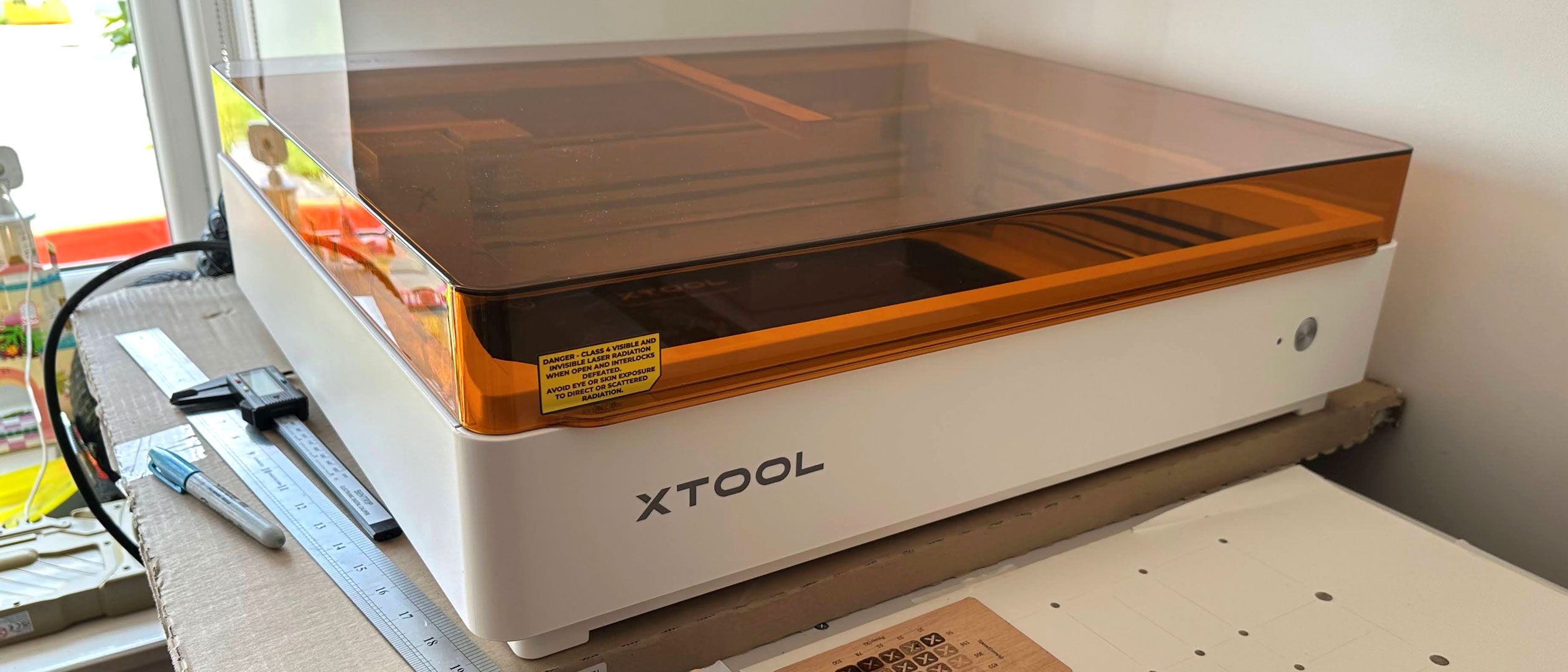
The physical machine is fully enclosed with a built-in extractor fan and a laser-safe orange lid. You also get integrated air assist and twin positioning cameras that feed directly into the generally good xTool Studio software, allowing for automatic material detection. If you opt for the 10W diode, you can engrave at speeds up to 600 mm/s—doubling the M1 Ultra’s 300 mm/s limit. Upgrading to the 20W diode lets you cut deeper, slicing through 10mm basswood or 8mm acrylic in a single pass.
However, the xTool M2 is not without its pain points. The provided magnetic material standoff clamps feel a bit flimsy, and the cutting base is a basic flat metal tray. Also, keep your budget in mind: adding must-have upgrades like the $259 RA3 Lite rotary tool or the $169 CMYK printing module quickly pushes your total cost well past $1,000, and those non-refillable ink cartridges cost a hefty $99 to replace.
Why This Matters
Why should this matter to your everyday workflow? By focusing strictly on lasers and color printing, xTool is drawing a line in the sand. Instead of trying to be a jack-of-all-trades vinyl cutter and laser, the M2 targets makers who want high-speed, high-precision engravings and seamless hybrid projects.
The ability to easily swap magnetic heads means you can print a vibrant color design on wood, snap in your diode laser, and instantly cut out a custom puzzle or sticker set. It represents a shift toward streamlined, professional-grade desktop manufacturing for small businesses and hobbyists alike.
The Bottom Line
If you already rely on a cutting blade for vinyl and paper, you might want to hold onto your existing hardware. But if you want a faster, highly precise, and incredibly flexible laser-and-print system with top-tier software and safety features, the xTool M2 is a formidable upgrade. Just prepare your wallet for the cost of those swappable bundles and replacement ink cartridges.
Originally reported by
Tom's HardwareWhat did you think?



Stay Updated
Get the latest tech news delivered to your reader.