Here's What Your USB Port Color Really Means For Speed
Think your USB port colors are just for show? You'd be surprised! Discover what blue, black, and other hues really tell you about your PC's data transfer speeds and why it matters for your devices.
Editorial Note
Reviewed and analysis by ScoRpii Tech Editorial Team.
In this article
If you've ever looked at your computer, you might have noticed that some USB ports are different colors. You probably thought it was just an aesthetic choice, or maybe you ignored it entirely. But what if those subtle shades of blue, black, or even red hold a secret about your PC's performance? You're about to find out how much those colors truly matter for your everyday tech use.
Key Details
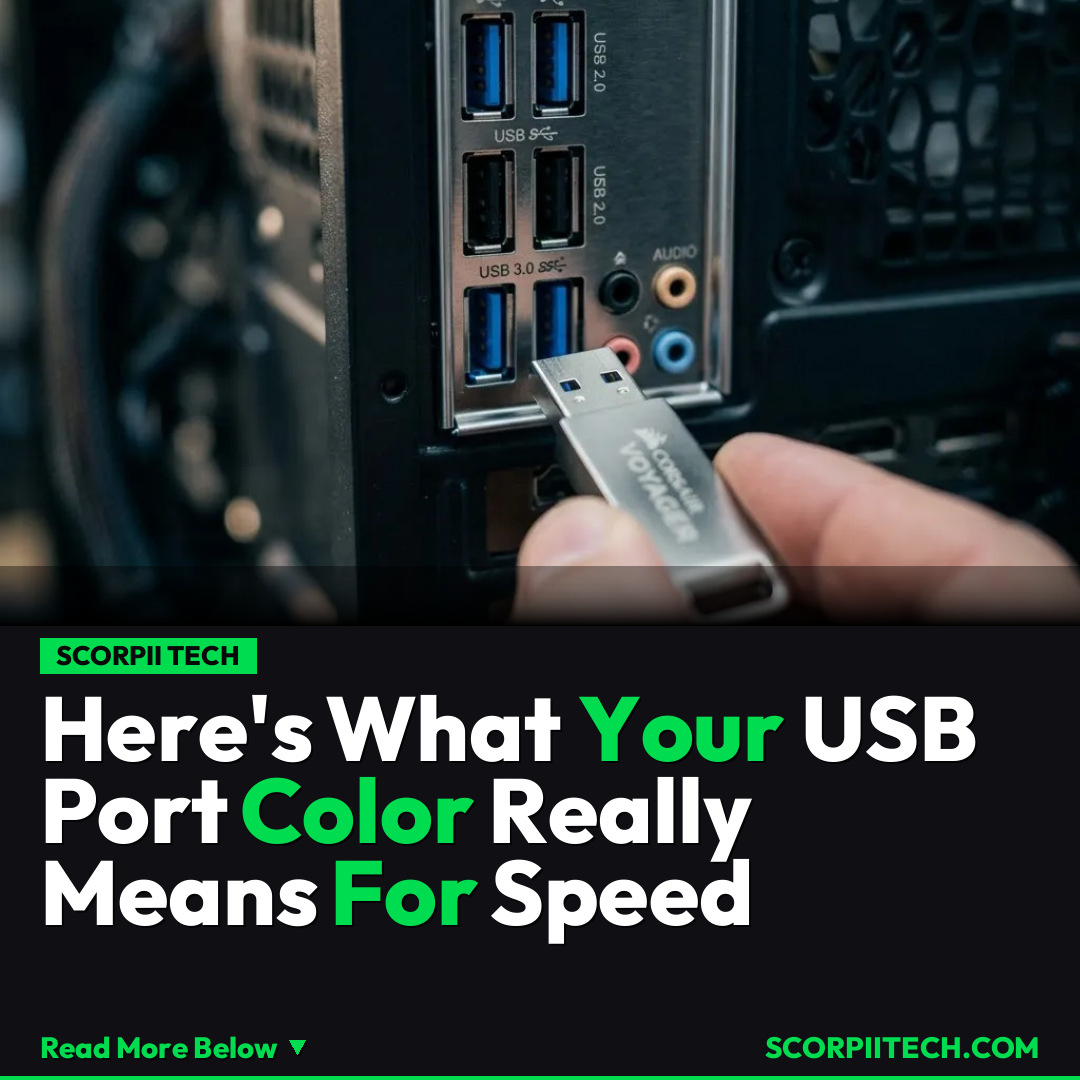
You've likely seen those black and blue ports on your PC, perhaps even some red ones if you're using a gaming rig or specialized hardware. The prevailing wisdom often suggests that different colors indicate different speeds, and there's definitely truth to that. However, as one industry expert aptly puts it, "The color of USB ports don't always tell the entire story." This is where understanding the technical standards becomes crucial for you.
Deploy your next full-stack application effortlessly. Get $200 in free DigitalOcean credits to host your Laravel or Python APIs.
Let's break down the primary contenders you'll encounter. For years, the black USB port has been synonymous with the USB 2.0 Hi-Speed standard. When you plug a device into one of these, you're looking at a maximum data transfer rate of 480 Mbps. That's perfectly adequate for things like your mouse, keyboard, or even some printers, but it can feel sluggish for moving large files or backing up significant amounts of data. You've probably experienced that slow crawl when transferring vacation photos or important documents.
Then came the game-changer: the blue USB port. This typically signifies the USB 3.0 standard, which also encompasses what's now often referred to as USB 3.2 Gen 1. When you connect to one of these ports, your potential data transfer speeds jump dramatically to 5 Gbps. That's ten times faster than USB 2.0! Imagine moving gigabytes of video or your entire music library in a fraction of the time. This speed difference profoundly impacts how quickly your external hard drives, high-resolution webcams, or other demanding peripherals can communicate with your PC. You'll definitely notice the upgrade.
Why This Matters
Why should you care about these technical specifications beyond just bragging rights? Because for you, it directly translates to efficiency and less frustration. If you're frequently transferring large files – whether it's video edits, massive game installations, or substantial backups – using the correct port can save you hours over the course of a year. Plugging your lightning-fast external SSD into a slow USB 2.0 port is like putting a supercar on a dirt track; you're just not getting the performance you paid for. You want to maximize your hardware's potential.
Understanding your ports also helps you make smarter purchasing decisions. When you buy a new peripheral, checking its USB standard ensures you have compatible ports on your PC to unlock its full speed. While the USB connecto and the connecto refer to a broad range of USB devices, knowing your port capabilities ensures you always get the best experience. And as technology evolves, with newer standards like USB-C becoming more prevalent (where port color isn't the primary indicator of speed), having this foundational knowledge empowers you to adapt.
The Bottom Line
So, what's your actionable takeaway from all this? The next time you're about to plug in a new device or transfer files, take a quick glance at your USB ports. If you're dealing with anything demanding, prioritize those blue (or often marked with 'SS' for SuperSpeed) ports. Don't let a simple color fool you into thinking all ports are created equal. By understanding these subtle cues, you can significantly boost your productivity and ensure your valuable data moves as swiftly as you need it to. You'll be a savvier tech user, making your digital life just a little bit faster and a lot less frustrating.
Originally reported by
BGRWhat did you think?



Stay Updated
Get the latest tech news delivered to your reader.