Here's What Your Hard Drive Type Really Means For You
Dive deep into the different hard drive types like SATA, NVMe, and PATA. Understand how they store your data and critically impact your device's speed. Make smarter tech choices about your tech.
Editorial Note
Reviewed and analysis by ScoRpii Tech Editorial Team.
In this article
You rely on your device every single day, but have you ever really considered the silent workhorse that stores your entire digital life? From your most important files and apps to the very operating system that powers your experience, it all lives on your hard drive. But what if we told you that not all hard drives are created equal, and understanding the differences can dramatically impact your daily tech interactions?
Key Details
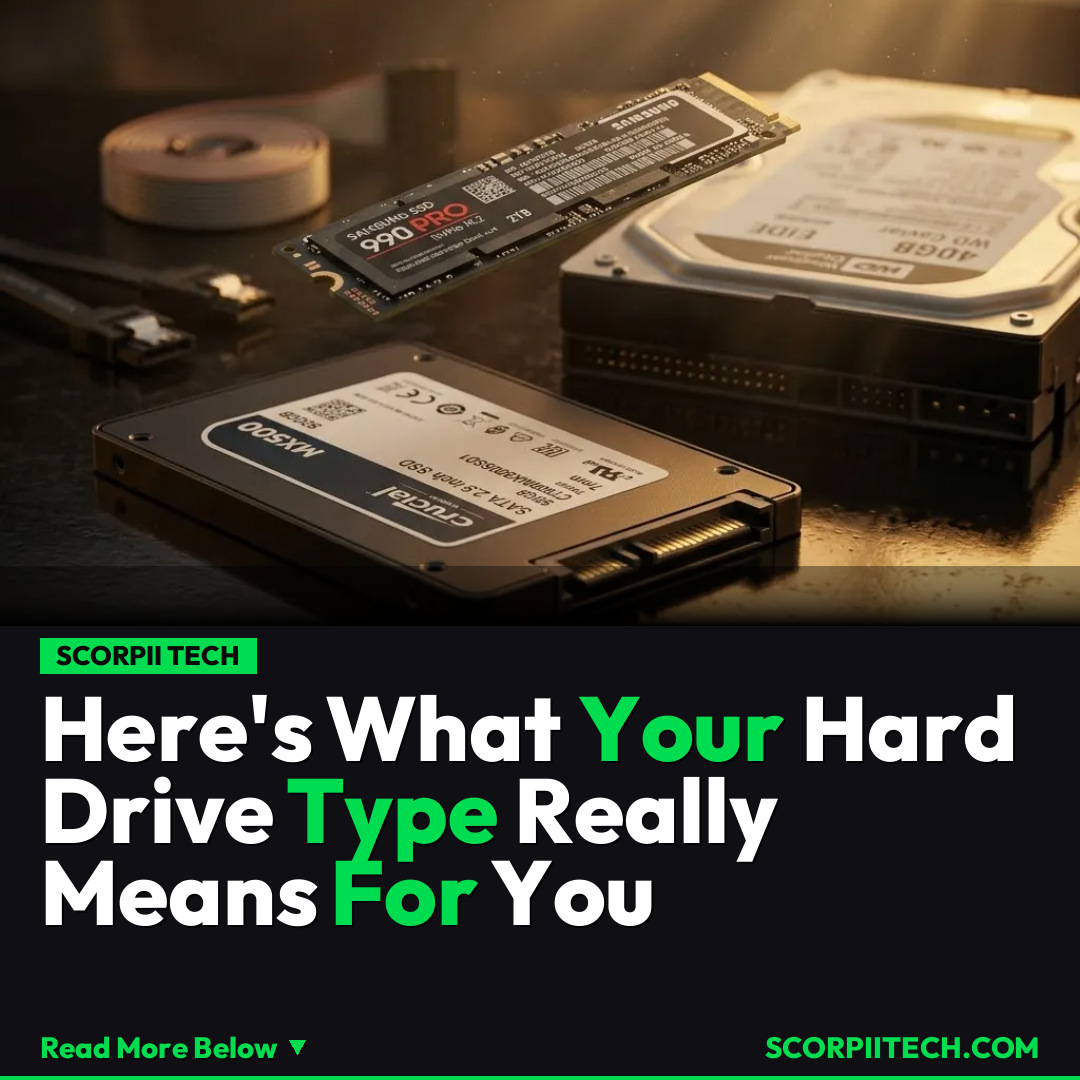
Your hard drive is the core storage component, holding everything from your operating system to your personal files. Historically, you might have encountered various types, each suited to different technological eras. One of the earlier widespread standards was PATA (Parallel Advanced Technology Attachment). While foundational, PATA drives delivered speeds up to 133 MB/s. You would typically find these in older desktop systems, representing a foundational but now slow standard.
Deploy your next full-stack application effortlessly. Get $200 in free DigitalOcean credits to host your Laravel or Python APIs.
The evolution brought us SATA (Serial Advanced Technology Attachment), a vastly more common and versatile interface today. SATA drives significantly boosted performance, offering data transfer rates from 1.5 Gb/s up to 6 Gb/s. You'll find SATA in a wide array of devices, from desktops and laptops to external drives, providing a good balance of speed and cost-effectiveness. For specialized enterprise needs, you might also be familiar with SCSI (Small Computer System Interface) and its serial successor, SAS (Serial Attached SCSI), often utilized in servers for their reliability and multi-device support.
For top-tier performance, NVMe (Non-Volatile Memory Express) stands out. This isn't just a faster version of older tech; it’s a protocol designed specifically for flash storage, connecting directly via the PCIe (Peripheral Component Interconnect Express) interface. This direct, high-bandwidth connection allows NVMe drives to achieve "several gigabytes per second" in transfer speeds. This makes NVMe ideal for demanding applications, high-end gaming, and professional workloads where every millisecond counts. Major tech innovators like Apple have widely adopted similar PCIe-based storage solutions in their high-performance devices, recognizing the immense speed advantage.
Why This Matters
Understanding these hard drive types isn't just for tech enthusiasts; it directly impacts your daily digital experience. If you're still running a device with an older PATA drive, you're likely experiencing slow boot times, sluggish application launches, and frustratingly long file transfers. Upgrading to even a modern SATA SSD would feel like unlocking a whole new machine, dramatically enhancing your productivity and enjoyment.
For power users, gamers, or professionals dealing with large video files and complex software, the difference between SATA and NVMe is profound. The "several gigabytes per second" speed of NVMe means less waiting and more doing. You'll notice it in everything from game load screens to rendering complex graphics. Choosing the right hard drive type, therefore, isn't just about storage capacity; it's about optimizing your entire system's performance to match your demands and ensuring your device keeps up with your pace, not the other way around.
The Bottom Line
In a world where digital speed is paramount, knowing your hard drive type gives you a significant advantage. You now understand that the difference between slow and lightning-fast often comes down to the underlying storage technology, from PATA's modest pace to NVMe's incredible velocity. So, next time you're considering a new device or thinking about upgrading your current one, don't just look at the storage size. Ask about the hard drive type. You'll be empowered to make a smarter, more informed decision that truly aligns with your performance expectations, ensuring your digital life runs as smoothly and swiftly as you need it to.
Originally reported by
BGRWhat did you think?



Stay Updated
Get the latest tech news delivered to your reader.