Razer's New Naga V3 Pro Mouse Gives You 23 Reasons to Upgrade
Razer officially released the Naga V3 Pro featuring up to 23 programmable buttons and a 50K DPI sensor. Here is what you need to know.
Editorial Note
Reviewed and analysis by M.Numan
In this article
If you have been clinging to your trusty MMO gaming mouse for years, Razer just dropped an upgrade that demands your attention. The new Razer Naga V3 Pro brings up to 23 programmable buttons, a monster 50K DPI sensor, and a lighter design to your desk. But with a hefty $180 price tag, is this multi-button beast actually worth your hard-earned cash?
Key Details
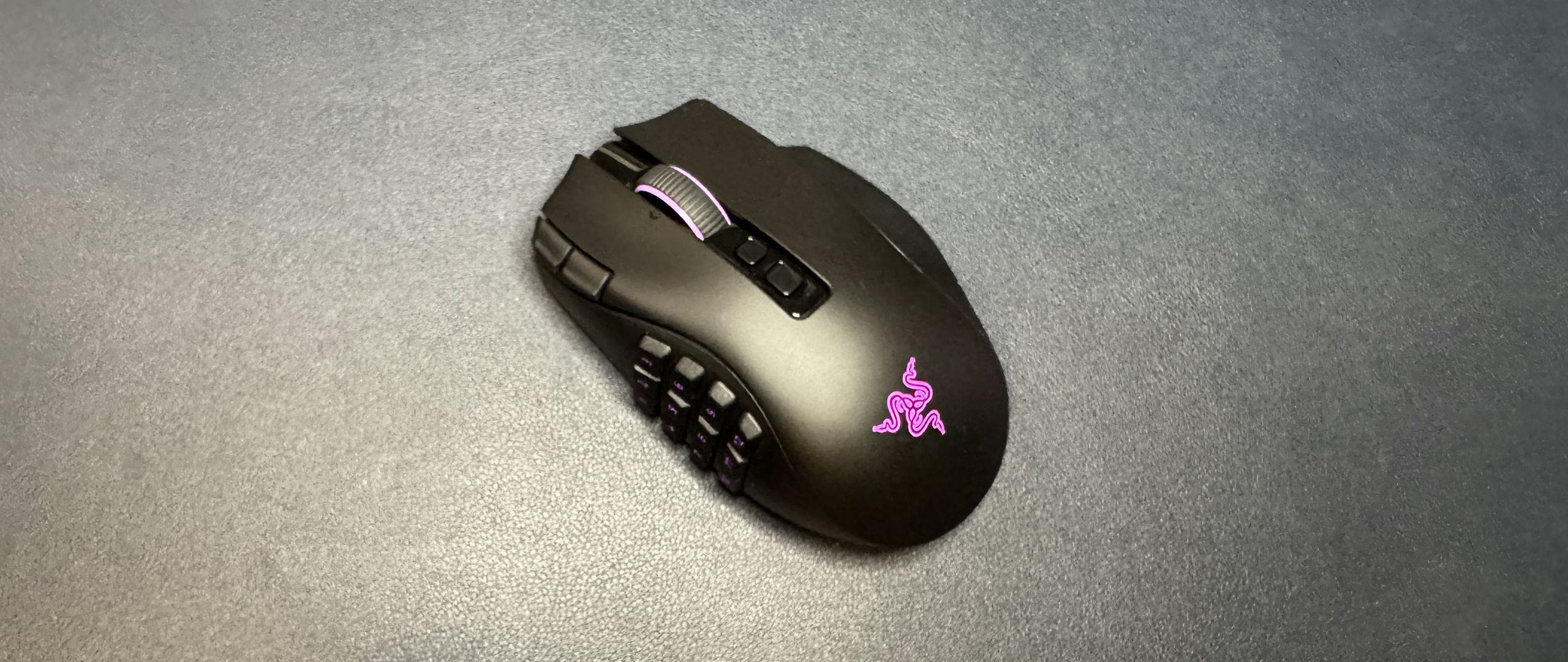
Razer kept the exact ergonomic form factor that made previous models a favorite among MMO players, but nearly everything under the hood has been overhauled. The star of the show remains the signature three swappable magnetic side plates offering 2-, 6-, and 12-button layouts. This time, Razer updated them with double-shot molded keycaps so the legends won't wear down after years of heavy hotkey usage.
Deploy your next full-stack application effortlessly. Get $200 in free DigitalOcean credits to host your Laravel or Python APIs.
Beyond the swappable plates, you get three brand-new physical inputs that bring your total programmable controls up to 23. These include two edge buttons placed beside the primary left-click button and a clickable ring finger rest powered by a physical locking switch so you do not trigger it by mistake. Powering the mouse is Razer's Focus Pro 50K Gen-3 optical sensor paired with Gen-4 optical switches rated for 100 million clicks. Weighing in at 3.9 ounces (112g) without a side plate attached, it sheds noticeable weight compared to the old 134g Naga V2 Pro.
In terms of connectivity, you get 2.4GHz wireless with up to 155 hours of battery life, Bluetooth, and USB-C wired mode. Out of the box, the mouse operates at a standard 1,000 Hz polling rate. If you want to push it to a hyper-fast 8,000 Hz polling rate, you will need to buy Razer's HyperPolling Wireless Dongle or Mouse Dock Pro separately. It also integrates smoothly with Razer Synapse 4 for full button remapping and auto-DPI matching.
Why This Matters
In an industry currently obsessed with stripping away features to make featherlight, ultra-minimalist esports mice, MMO players and power users have largely been forgotten. The Naga V3 Pro proves that massive versatility and high-button counts still have a vital place on modern gaming desks. Whether you are managing complex spell rotations in your favorite online RPG or streamlining high-speed productivity macros for daily tasks, having dozens of customizable inputs right at your fingertips completely alters how fast you operate.
The Bottom Line
If you are an MMO enthusiast, productivity power user, or upgrading from an aging Naga V2 Pro, the Razer Naga V3 Pro stands as the undisputed king of multi-button versatility. Just keep in mind that unlocking the maximum 8,000 Hz polling rate requires an extra purchase, and the free-scroll wheel mode takes some fine-tuning in Synapse 4. If you want maximum macro control, this $180 investment is ready to level up your entire setup.
Originally reported by
Tom's HardwareWhat did you think?



Stay Updated
Get the latest tech news delivered to your reader.