Why People Are Moving Away from Kubernetes in 2026: The Pragmatic Production Guide
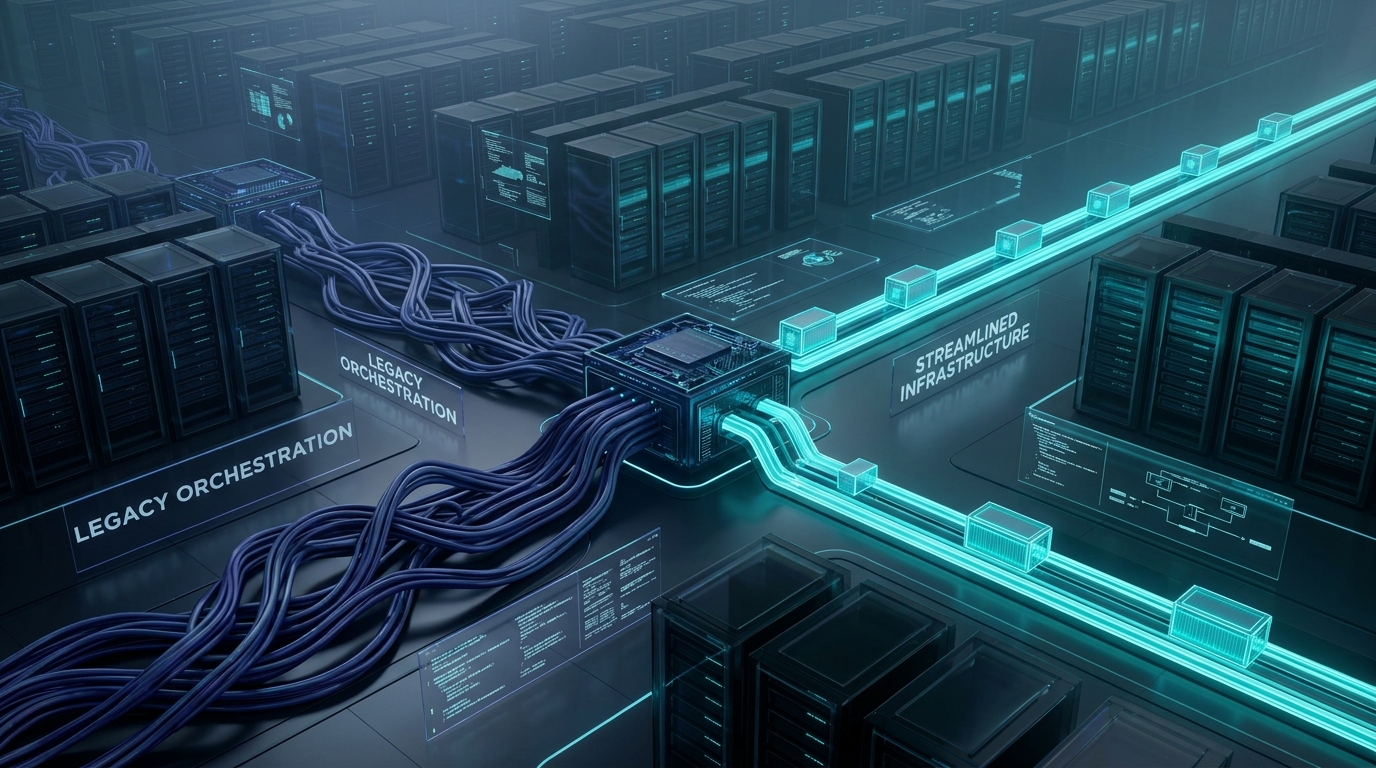
Engineering teams are increasingly decoupling from Kubernetes due to its exorbitant operational overhead, hidden cloud costs, and unnecessary complexity for t...
Editorial Note
Reviewed and analysis by M.Numan
In this article
- The 2026 Backend Infrastructure Truth
- The Real Cost Breakdown: The Kubernetes Tax
- The Great De-Clouding Movement
- The Modern Alternative Production Stack
- Real Production Code Snippet: Docker Compose for Zero-Downtime
- Benchmark Comparison: Kubernetes vs. Modern Alternatives
- When Kubernetes Actually Makes Sense: Nuanced Technical Honesty
- The ScoRpii Tech Decision Framework & Call to Action
Engineering teams are increasingly decoupling from Kubernetes due to its exorbitant operational overhead, hidden cloud costs, and unnecessary complexity for the vast majority of applications. As of 2026, the industry is seeing a clear shift towards simpler, cost-effective alternatives like Docker Swarm, Coolify, and bare-metal deployments using tools like Kamal. This pivot slashes infrastructure bills by 5-10x, significantly reduces SRE burden, and drastically improves deployment velocity and stability, making it a critical consideration for any technical leader.
The 2026 Backend Infrastructure Truth
The industry loves complexity because it looks impressive on resumes and allows for inflated consulting fees. But real money and real sleep come from ruthless simplicity. For a decade, Kubernetes reigned supreme as the de facto standard for container orchestration, promising unparalleled scalability, resilience, and portability. While its technical capabilities are undeniable, its practical application has frequently led to engineering teams drowning in operational debt, inexplicable cloud bills, and a perpetual talent shortage for its specialized demands.
Deploy your next full-stack application effortlessly. Get $200 in free DigitalOcean credits to host your Docker containers, Laravel, or Python APIs.
We're in 2026. The novelty has worn off. The battle scars are visible. More and more technical leaders, from startups to established enterprises, are looking beyond the hype and asking a fundamental question: "Do we really need this?" For 95% of software applications, the answer is a resounding "No."
The modern production movement is not about abandoning containers or automation. It's about rightsizing the orchestration layer. It's about delivering features, not managing YAML manifests and fighting control plane issues. It's about reclaiming developer velocity and budget from the "Kubernetes Tax."
The Real Cost Breakdown: The Kubernetes Tax
Let's cut through the marketing slides and look at the actual numbers hitting your balance sheet. The "Kubernetes Tax" is a stealthy beast, a constellation of seemingly small charges that rapidly balloon into an unsustainable drain on resources, long before your first user container serves a request.
Consider a minimal AWS EKS cluster, barely capable of running a few basic services. Here’s a pragmatic monthly cost breakdown:
- EKS Control Plane: AWS charges $0.10 per hour for each EKS cluster.
- Cost: $73.00/month (0.10 * 24 * 30.4 days)
- NAT Gateways: Essential for private subnets to reach the internet (e.g., pulling Docker images, external APIs). For high availability across multiple Availability Zones, you'll need at least two. Each NAT Gateway incurs an hourly charge and data processing fees.
- Cost: ~$65.00/month (2 * ~$32.50 for base usage, before data transfer)
- Application Load Balancer (ALB): To expose your services to the internet, even a basic ALB will cost you.
- Cost: ~$25.00/month (base LCU hours, before usage spikes)
- CloudWatch Logs & Metrics: Kubernetes generates an enormous volume of logs and metrics. While essential for debugging, this isn't free.
- Cost: ~$15.00 – $50.00/month (for even moderate traffic, easily escalating)
- Egress Traffic: Data leaving AWS, especially cross-AZ traffic, is charged. Internal cluster communication can quickly add up if not architected carefully.
- Cost: ~$10.00 – $100.00+/month (highly variable, but rarely zero)
- Worker Nodes (EC2 Instances): This is where your actual applications run. Even a minimal cluster might need 2-3
t3.mediumorm5.largeinstances.- Cost: ~$50.00 – $150.00/month (e.g., 2 x
t3.mediumis around $70/month)
- Cost: ~$50.00 – $150.00/month (e.g., 2 x
- Persistent Storage (EBS, EFS): Databases, object storage, etc.
- Cost: ~$20.00 – $100.00+/month
Bare Minimum EKS Monthly Baseline: ~$260.00 – $560.00+ before your application even serves one user. This is the infrastructure cost alone. It doesn't include the most significant expense: SRE (Site Reliability Engineer) overhead.
A skilled SRE to manage a Kubernetes cluster effectively commands a salary upwards of $150,000 – $250,000 annually. Even if they dedicate only 10-20% of their time to routine Kubernetes maintenance, upgrades, troubleshooting, and keeping the cluster healthy, that's an allocated labor cost of $1,250 – $4,160 per month. This human cost far outweighs the direct cloud spend and is the primary driver of Kubernetes' true expense for most organizations.
The VPS Alternative: Raw Power at a Fraction of the Cost
Contrast this with a high-performance, dedicated NVMe VPS or bare-metal server from providers like Hetzner, OVH, or even a robust DigitalOcean Droplet.
Consider a dedicated server from Hetzner:
- Hetzner AX41-NVMe: AMD Ryzen 5 3600 (6 Cores, 12 Threads), 64GB DDR4 RAM, 2x 512GB NVMe SSDs, 1 Gbit/s network.
- Total Cost: ~$50.00 - $60.00/month.
- This single server, managed with Docker and a reverse proxy, is demonstrably capable of serving 50,000+ daily active users for typical web applications (e.g., Ruby on Rails, Node.js, Python/Django) with plenty of headroom. This includes running your application containers, a PostgreSQL database, Redis, and a caching layer.
The delta is staggering: $300-$500+/month for an empty, complex Kubernetes cluster needing specialized human oversight, versus $50-$60/month for a single, powerful machine ready to run your entire stack with generalist DevOps skills. The cost savings are not merely proportional; they are orders of magnitude. This allows funds to be reallocated from infrastructure maintenance to product development, a far more strategic investment.
The Great De-Clouding Movement
The narrative that "the cloud" is always cheaper or more flexible is being aggressively challenged, particularly as cloud costs spiral out of control and the promised agility often turns into operational paralysis.
DHH & 37signals' Exit from the Cloud
One of the most vocal and well-documented examples is David Heinemeier Hansson (DHH) and 37signals' strategic decision to move major parts of their infrastructure away from the hyperscalers and back to bare metal. Their migration, powered by their open-source deployment tool Kamal, resulted in a staggering $3.2 million in annual savings.
This wasn't a nostalgic trip; it was a pragmatic financial and operational decision. They realized that for their scale and architecture, the multi-layered abstractions and vendor lock-in of the cloud were simply not providing commensurate value for the cost. Their experience highlights a critical truth: the vast majority of companies operate well below the scale where hyperscale cloud infrastructure becomes genuinely advantageous.
Why 95% of Software Applications Don't Need Hyperscale
The default assumption that every application needs a distributed, multi-node, self-healing orchestration system like Kubernetes is fundamentally flawed. Most applications, even successful ones:
- Do Not Experience Netflix-Scale Traffic: Your SaaS product or internal tool, while crucial, is unlikely to ever handle millions of requests per second, requiring hundreds of nodes, across dozens of regions, with highly stateful, low-latency coordination.
- Are Not Architected as 100+ Microservices: The complexity of Kubernetes is designed to manage hundreds of independently deployable, fine-grained microservices. Most applications consist of a monolith, a modular monolith, or a handful of interconnected services. Trying to fit this into a Kubernetes paradigm is like using a sledgehammer to crack a nut, incurring all the overhead without the benefits.
- Prioritize Simplicity and Developer Velocity: Every hour spent debugging
CrashLoopBackOffpods, struggling withIngresscontrollers, or battlingRBACpermissions is an hour not spent building features for your customers. Simpler stacks lead to faster iteration and happier engineers. - Can Scale Vertically First: Modern CPUs are incredibly powerful, and RAM is cheap. A single well-provisioned server (64GB RAM, 16+ cores, NVMe SSD) can comfortably handle thousands of concurrent users and tens of thousands of requests per second for most applications. Vertical scaling is almost always cheaper and simpler than premature horizontal distribution. When you do need horizontal scaling, Docker Swarm or Kamal on a few beefy VMs/servers often suffices.
The "lift and shift" mentality that pushed many applications into complex cloud environments is evolving. The architectural shift is towards minimal, purpose-built containers and lean infrastructure, reducing reliance on Kubernetes' intricate machinery.
The Modern Alternative Production Stack
The desire for robust, automated deployments without the Kubernetes burden has led to a resurgence and maturation of simpler, powerful alternatives.
Coolify: The Self-Hosted PaaS Standard
Coolify (35,000+ GitHub stars) is rapidly becoming the self-hosted PaaS of choice, lauded for its Heroku-like developer experience but running on your own hardware. It’s an open-source solution that allows you to deploy and manage applications, databases, and services directly on your own VPS or bare-metal servers.
Key features and why it's a game-changer:
- Ease of Use: Deploy Git repositories with a few clicks, similar to Heroku or Vercel. Coolify handles building Docker images, setting up environments, and managing deployments.
- Integrated Services: Built-in support for databases (PostgreSQL, MySQL, MongoDB, Redis), object storage (MinIO), and other services, all managed through a clean web UI.
- Automated SSL: Automatically provisions and renews Let's Encrypt SSL certificates for your applications.
- Reverse Proxy & Load Balancing: Manages Traefik or Caddy for routing traffic to your containers, ensuring services are accessible.
- Resource Management: Provides visibility and control over CPU and memory usage for your services.
- No Vendor Lock-in: You own your infrastructure. Coolify is just the orchestration layer, sitting on top of Docker.
Coolify allows small teams and solo developers to achieve a professional, automated deployment pipeline without ever touching Kubernetes YAML. It’s an operational dream, abstracting away much of the Docker complexity while giving you full control over your underlying servers.
Docker Swarm: The Resurgent, Battle-Tested Orchestrator
Docker Swarm, often overshadowed by Kubernetes, has seen a quiet but significant resurgence. It's built directly into Docker Engine, making it incredibly easy to set up and manage. For small-to-medium clusters (1-10 nodes), it provides robust container orchestration with minimal overhead.
Why Docker Swarm is gaining traction again:
- Simplicity: No separate control plane to manage, no complex YAML schemas to learn. Standard Docker commands are extended for orchestration.
- Zero-Downtime Rolling Updates: Swarm handles rolling updates gracefully, ensuring new containers are brought up and pass health checks before old ones are terminated. This is critical for production.
- Built-in Service Discovery & Load Balancing: Services can easily communicate with each other by name, and Swarm distributes requests across multiple replicas.
- Secret Management: Securely store and inject secrets into your containers.
- Resource Management: Define CPU and memory limits/reservations for services.
- Low Resource Footprint: Swarm consumes far fewer resources than Kubernetes, leaving more for your applications.
- Seamless Integration with Traefik/Caddy: Deploying a dynamic reverse proxy like Traefik or Caddy in a Swarm cluster is straightforward, enabling automated SSL and intelligent routing based on Docker labels.
Docker Swarm is ideal for teams who need more than a single server but find Kubernetes overkill. It offers a solid middle ground, providing orchestration benefits without the SRE tax.
Kamal: The Bare-Metal Deployment Powerhouse
Kamal (formerly MRSK), developed by the team at 37signals, is a CLI tool for deploying web apps to production servers via SSH. It's designed specifically for single-server or small multi-server deployments using Docker, aiming for simplicity and speed.
Kamal's core strengths:
- Atomic Deployments: Deploy new versions without downtime. Kamal ensures the new Docker container is healthy before switching traffic.
- Remote Build & Push: Builds your Docker image on a remote builder and pushes it to a registry, then pulls it down to your application servers.
- Database Migrations: Handles database migrations automatically as part of the deployment process.
- Rollbacks: Easily roll back to a previous version in seconds.
- Multi-service Orchestration: Manages multiple services (e.g., web app, background workers, database) on the same server or across a small cluster.
- Minimal Dependencies: Relies on SSH, Docker, and
docker-compose. No control plane to manage, no agents to install.
Kamal embodies the "ruthless simplicity" philosophy. It's perfect for teams who want complete control over their servers, prefer a robust CLI experience, and want to leverage Docker for deployments without any additional orchestration layer overhead.
Real Production Code Snippet: Docker Compose for Zero-Downtime
Here's a production-hardened docker-compose.yml example, demonstrating how to achieve robust, zero-downtime deployments with health checks and resource management on a single server or within a Docker Swarm. This file integrates with Traefik for automated SSL and routing, assuming Traefik is running as a separate service on the same host/Swarm.
# docker-compose.yml for a robust web application
# Deployable on a single server with Docker Compose or as a service in Docker Swarm

version: '3.8' # Use a modern Docker Compose file format

services:
  # Your main web application service
  web:
    image: your-registry/your-app:latest # Replace with your Docker image and tag
    # For production, always use a specific tag, not 'latest'
    # image: your-registry/your-app:v1.2.3

    ports:
      - "8080:3000" # Map host port 8080 to container port 3000 (your app's internal port)
                  # Traefik will route to 8080 internally, if not using Swarm's internal network.
                  # In Swarm, you'd typically expose only to the internal network for Traefik.

    environment:
      RAILS_ENV: production # Example for Rails, adjust for your framework
      NODE_ENV: production # Example for Node.js
      DATABASE_URL: postgres://user:password@db:5432/myapp_production
      REDIS_URL: redis://redis:6379/0
      SECRET_KEY_BASE: ${SECRET_KEY_BASE} # Use environment variables for secrets

    volumes:
      - ./logs:/app/log # Mount a host directory for logs (optional, prefer structured logging to stdout)
      - ./tmp:/app/tmp # Example for temporary files

    restart: unless-stopped # Always restart if it crashes

    healthcheck: # Critical for zero-downtime deployments and service reliability
      test: ["CMD-SHELL", "curl -f http://localhost:3000/health || exit 1"] # Adjust health check endpoint
      interval: 10s       # Check every 10 seconds
      timeout: 5s         # Timeout after 5 seconds
      retries: 3          # Retry 3 times before marking as unhealthy
      start_period: 30s   # Give the service 30 seconds to start up before checking

    deploy: # Docker Swarm specific deployment configuration
      replicas: 2 # Run 2 instances of your web app for high availability
      update_config:
        parallelism: 1 # Update one replica at a time
        delay: 10s     # Wait 10 seconds between updating replicas
        order: start-first # New container starts, passes health check, then old one is stopped
        monitor: 5s # Check for health after update for 5 seconds
        max_failure_ratio: 0.1 # Max 10% failures allowed during update
      restart_policy:
        condition: on-failure
        delay: 5s
        max_attempts: 3
        window: 120s
      resources: # Crucial for stability: limit and reserve resources
        limits:
          cpus: '1.50' # Cap CPU usage at 1.5 cores
          memory: 2048M # Cap memory at 2GB
        reservations: # Ensure these resources are available
          cpus: '0.50' # Reserve 0.5 core
          memory: 512M # Reserve 512MB
      labels: # Labels for Traefik to automatically discover and configure routing
        - "traefik.enable=true"
        - "traefik.http.routers.app.rule=Host(`yourdomain.com`)" # Replace with your domain
        - "traefik.http.routers.app.entrypoints=websecure"
        - "traefik.http.routers.app.tls.certresolver=letsencrypt" # Assumes 'letsencrypt' resolver is configured in Traefik
        - "traefik.http.routers.app.service=app"
        - "traefik.http.services.app.loadbalancer.server.port=3000" # Target your app's internal port

  # Database service (e.g., PostgreSQL)
  db:
    image: postgres:15-alpine # Use a specific version and a lightweight image
    ports:
      - "5432:5432" # Only expose if needed for external tools, prefer internal access
    environment:
      POSTGRES_USER: user
      POSTGRES_PASSWORD: password
      POSTGRES_DB: myapp_production
    volumes:
      - db_data:/var/lib/postgresql/data # Persist database data
    restart: unless-stopped
    deploy:
      resources:
        limits: { cpus: '0.75', memory: 1024M }
        reservations: { cpus: '0.25', memory: 256M }

  # Cache service (e.g., Redis)
  redis:
    image: redis:7-alpine
    ports:
      - "6379:6379" # Only expose if needed, prefer internal access
    volumes:
      - redis_data:/data # Persist Redis data
    restart: unless-stopped
    deploy:
      resources:
        limits: { cpus: '0.25', memory: 256M }
        reservations: { cpus: '0.1', memory: 64M }

# Define named volumes for persistent data
volumes:
  db_data:
  redis_data:
This docker-compose.yml provides:
- Zero-downtime deployments via
deploy.update_config.order: start-firstandhealthcheck. New containers are ready before old ones are removed. - Resource isolation using
limitsandreservations, preventing runaway containers from consuming all server resources. - Automated reverse proxy configuration using Traefik labels, enabling dynamic routing and Let's Encrypt SSL.
- Data persistence through named volumes for databases and caches.
Benchmark Comparison: Kubernetes vs. Modern Alternatives
This table provides a high-level comparison of the operational characteristics and costs of various production stacks in 2026.
| Feature / Metric | Kubernetes (EKS/GKE) | Docker Swarm | Coolify (on VPS) | Managed Cloud Run (GCP) |
|---|---|---|---|---|
| RAM Overhead (Idle) | High (2-4GB+ for control plane & agents) | Low (100-200MB per node for agent) | Low (500MB-1GB for Coolify app + Docker) | N/A (serverless, billed on execution) |
| CPU Baseline (Idle) | Moderate (1-2 cores for control plane & agents) | Low (0.1-0.2 cores per node for agent) | Low (0.2-0.5 cores for Coolify app + Docker) | N/A (serverless, billed on execution) |
| Setup Time | Weeks to Months (design, configure, secure, operate) | Hours (init swarm, deploy stack) | Hours (install on VPS, connect repo, deploy) | Minutes (configure service, deploy image) |
| SRE Skill Requirement | Expert (deep K8s, networking, cloud, YAML, debugging) | Mid-level (Docker, Linux, networking) | Mid-level (Docker, Linux, basic sysadmin) | Low (Docker, CI/CD pipelines, no infra management) |
| Base Monthly Cost (Empty) | $300-$500+ (Control Plane, NAT GWs, ALB, Worker Nodes, Logs, SRE Overhead) | $50-$100 (VPS/Server cost + minimal ops) | $50-$100 (VPS/Server cost + minimal ops) | $0.00 (true zero for no requests, then scales) |
| Scaling Limits | Virtually limitless, but complex to manage at scale | Good (1-10 nodes easily, 20+ feasible with care) | Good (Scales vertically with VPS, horizontally with multiple Coolify instances/Swarm) | Excellent (auto-scales to zero, handles bursts) |
| Operational Maintenance | Very High (upgrades, security, incidents, monitoring) | Low (Docker updates, host OS updates) | Moderate (Coolify updates, host OS updates) | Very Low (Google manages platform) |
| Vendor Lock-in | Cloud vendor K8s tools, specific integrations | Low (standard Docker) | Low (standard Docker, self-hosted) | High (tightly coupled to GCP services) |
| Flexibility | High (can run anything, but with complexity) | High (any Docker container) | High (any Docker container, easy database integration) | High (any container, but constrained by serverless model) |
Note: "Empty" refers to the cost of the platform itself before running significant application workloads.
This table starkly illustrates that for raw cost efficiency and operational simplicity, the self-hosted Docker-centric solutions often dramatically outperform Kubernetes and even some managed serverless offerings for predictable, consistent workloads. Managed Cloud Run excels for truly intermittent, spiky workloads where paying per invocation makes sense, but it still incurs egress costs and vendor lock-in.
When Kubernetes Actually Makes Sense: Nuanced Technical Honesty
Despite the compelling arguments for simpler stacks, Kubernetes isn't going away entirely, and it still holds a valid, albeit niche, place in the enterprise infrastructure landscape.
Kubernetes truly shines when you are operating at a scale and complexity that genuinely demands its powerful feature set:
- 100+ Microservices with Independent Teams: When you have dozens of engineering teams, each responsible for deploying and managing 5-10 distinct microservices, Kubernetes provides the necessary isolation, standardized deployment patterns, and self-service capabilities. The overhead is justified when the alternative is a chaotic mess of bespoke deployment scripts and conflicting dependencies.
- 50+ Engineers Actively Deploying to a Single Shared Environment: For large engineering organizations, Kubernetes offers a robust platform engineering layer that abstracts away the underlying infrastructure, allowing developers to focus on application logic. This requires significant investment in platform teams to maintain and evolve the cluster.
- Complex Multi-Region, Multi-Cloud Deployments with Statefual Coordination: If your application absolutely requires active-active multi-region failover, sophisticated traffic routing across diverse geographical locations, or deep stateful coordination mechanisms (e.g., distributed databases, specialized CRDs) spanning multiple cloud providers, Kubernetes can be a powerful tool. However, this is a niche requirement, often addressed with simpler solutions or purpose-built databases for most.
- Highly Dynamic Resource Allocation and Batch Workloads: For workloads with extreme elasticity demands, such as AI training jobs, large-scale data processing, or burstable microservices that spin up and down constantly, Kubernetes' advanced scheduler and auto-scaling features can be invaluable. This applies particularly to machine learning platforms like Kubeflow.
If your organization doesn't meet at least two of these criteria, you are likely over-engineering your infrastructure with Kubernetes, incurring all its costs and complexities without realizing its core benefits. The current trend suggests that even for some AI/Agent workloads, teams are finding simpler container orchestration perfectly adequate, especially when batch processing or inference can be handled by dedicated, powerful machines rather than a distributed cluster.
💡 Hardware Sizing Tip: Planning your own VPS migration? Benchmark exact vCPU, RAM, and monthly budget requirements using our free Web Hosting & Cloud VPS Sizing Calculator.
The ScoRpii Tech Decision Framework & Call to Action
The decision to migrate off Kubernetes, or to choose an alternative for new projects, is strategic. It requires a clear-eyed assessment of your current and future needs, free from the inertia of established patterns or industry fads.
Here's a 3-point checklist to help technical founders, CTOs, and senior engineers decide whether to migrate off Kubernetes:
- Cost-Benefit Audit: Perform a granular audit of your current cloud spend (as detailed in "The Kubernetes Tax"). Quantify not just the direct infrastructure costs, but also the allocated SRE salaries, time spent debugging Kubernetes-specific issues, and the impact on developer velocity. Compare this against the projected costs and operational simplicity of a Docker Swarm, Coolify, or Kamal-based deployment on dedicated VPS/bare metal. Is the "Kubernetes Tax" demonstrably providing 5x-10x value over cheaper alternatives?
- Complexity-to-Need Analysis: Objectively assess your application's actual scale and architectural complexity. Do you genuinely have 50+ microservices? Do you manage 100+ production nodes? Are you building a multi-cloud, multi-region distributed system with bespoke stateful operators? If your answers are largely "no," your current stack is likely over-engineered.
- Team Skillset Alignment: Evaluate your engineering team's core competencies. Are they specialized Kubernetes experts, or are they generalist full-stack engineers and DevOps practitioners who would thrive with simpler tools? The ongoing need for highly specialized, expensive Kubernetes talent is a significant bottleneck for many organizations. Aligning your infrastructure with your team's existing skill set can dramatically boost productivity and reduce hiring challenges.
If this guide resonates with your operational headaches, escalating cloud bills, or a pervasive feeling of over-engineering, it's time for a change.
ScoRpii Tech specializes in cutting through the cloud complexity, delivering high-performance, cost-effective infrastructure tailored to your exact needs. We offer:
- Production Infrastructure Audits: A deep dive into your current cloud spend and operational overhead, identifying immediate savings opportunities.
- VPS / Bare-Metal Migrations: Expert planning and execution for moving your applications from complex cloud orchestration to lean, powerful, dedicated servers.
- Custom Architecture Builds: Designing and implementing robust, simple, and scalable infrastructure using Docker Swarm, Coolify, Kamal, or plain Docker, optimized for your application and team.
Stop paying the Kubernetes Tax and start building value. Schedule a no-obligation technical consultation with ScoRpii Tech today. Let's build an infrastructure that works for you, not against you.
What did you think?
M. Numan
Founder & Lead ArchitectM. Numan leads architecture and software engineering at ScoRpii Tech, specializing in high-throughput backend services, autonomous multi-agent AI workflows, and cross-platform mobile apps. He writes production blueprints and architectural benchmarks for modern engineering teams.
Related Articles

Production Engineering Deep Dive: storytold/lightcraft — A Bare-Metal Blueprint for Open-Source Lightroom in 2026
1 week ago
Architecture Deep Dive: okf-memory/okf-agent-memory — Git-Native Persistent Memory for AI Coding Agents. Implement in 2026
1 week ago
Architecture Deep Dive: storytold/photocraft — An Open-Source, Clean-Room Photoshop Reimplementation and Its Backend Implications in 2026
1 week agoStay Updated
Get the latest tech news delivered to your reader.