Production Engineering Guide: Leveraging Native GPU Programming in Rust with Nvidia in 2026
Native GPU programming in Rust, fully supported by Nvidia in 2026, presents a paradigm shift for high-performance computing, machine learning inference, and d...
Editorial Note
Reviewed and analysis by M.Numan
In this article
- The Engineering Reality & Root Problem: The Cloud-Native AI Illusion
- Deep Architecture Teardown: Rust, Raw Power, and Ruthless Simplicity
- Production Implementation Blueprint: Deploying Your Rust GPU Service
- Benchmark Comparison Matrix: GPU Workloads 2026
- Production Trade-Offs & Edge Cases
- Strategic Decision Checklist & Consulting CTA
Native GPU programming in Rust, fully supported by Nvidia in 2026, presents a paradigm shift for high-performance computing, machine learning inference, and data processing. By shedding the performance overhead of Python and the exorbitant "Kubernetes Tax," engineering teams can achieve orders of magnitude cost savings and improved latency. This guide details a battle-tested approach to deploying GPU-accelerated Rust applications on cost-optimized bare-metal or VPS infrastructure using Docker Swarm, drastically reducing monthly cloud bills from thousands to mere tens or hundreds of dollars while delivering superior performance and reliability.
The Engineering Reality & Root Problem: The Cloud-Native AI Illusion
The promise of elastic, infinitely scalable cloud-native AI infrastructure often dissolves under the brutal light of monthly billing statements and system performance metrics. The prevailing wisdom pushes teams towards managed Kubernetes, complex MLOps platforms, and Python-heavy frameworks. While seemingly convenient, this path invariably leads to:
Deploy your next full-stack application effortlessly. Get $200 in free DigitalOcean credits to host your Docker containers, Laravel, or Python APIs.
- The "Kubernetes Tax" & Cloud Vendor Lock-in: For a single EKS cluster, you're paying a baseline $73/month just for the control plane. Add two NAT Gateways for cross-AZ high availability ($32/month each, $64/month total), an Application Load Balancer ($25/month minimum), and significant charges for CloudWatch logs, EBS volumes, and cross-AZ egress. Before a single user container runs, you're already at a minimum of $300-$500/month. This foundational cost scales horizontally, not just vertically, with every new service or environment requiring its own expensive cloud-native scaffolding.
- Exorbitant GPU Costs: Cloud providers markup GPU instances significantly. While a bare H100 GPU costs a certain amount, deploying it within a managed cloud environment inflates this. Akash, a decentralized cloud for GPUs, lists an 80GB A100 at $1.07 to $1.83/GPU-hr, averaging $1.54/GPU-hr. On a traditional cloud, this translates to cloud-native AI infrastructure costs ranging from $2,800 to $85,000+ per month depending on the specific GPU (A10G, T4 for experimentation; H100, Blackwell for production) and workload. Experimentation alone can run $500-$3,000/month, and a single fine-tuning run can cost $2,000-$15,000. These figures quickly decimate startup runways.
- Python's Performance Ceiling: While indispensable for rapid prototyping and general-purpose scripting, Python's Global Interpreter Lock (GIL), dynamic typing, and extensive abstraction layers impose a significant performance penalty for high-throughput, low-latency GPU workloads. Even with highly optimized libraries like PyTorch or TensorFlow, there's an inherent overhead in bridging Python to native CUDA kernels. Memory usage can balloon, garbage collection pauses become noticeable, and efficient CPU-GPU data transfers become complex. When every millisecond of latency or every watt of power matters, Python becomes a bottleneck, not an enabler.
- Operational Complexity Creep: Managed Kubernetes, while abstracting away some infrastructure, introduces its own set of complex YAML configurations, network policies, ingress controllers, service meshes, and Helm charts. Debugging performance issues often involves sifting through layers of abstraction. The cognitive load and specialized skill set required to maintain these systems are immense, leading to expensive DevOps teams or constant firefighting by already-strained engineering staff.
This amalgamation of high fixed costs, per-use charges, performance inefficiencies, and operational overhead is the true "engineering reality" for many teams attempting to leverage AI in production. It cripples budgets, delays product cycles, and often leads to over-provisioned, underutilized resources.
Sizing Your Single-Box VPS Architecture?
Calculate exact vCPU cores, RAM GB, NVMe storage, and estimated monthly budget for your traffic before migrating away from high-cost cluster providers.
Deep Architecture Teardown: Rust, Raw Power, and Ruthless Simplicity
The modern paradigm for high-performance, cost-effective GPU computing in 2026 centers on Rust, direct hardware access, and intelligent container orchestration on lean infrastructure. This approach leverages the best of modern software engineering without succumbing to the complexity and cost bloat of traditional cloud-native stacks.
Why Rust for GPU Computing?
Nvidia's native support for Rust GPU programming is a game-changer. Rust offers:
- Zero-Cost Abstractions: Rust provides powerful abstractions without runtime overhead. This means you can write high-level, safe code that compiles down to machine code with performance comparable to C or C++.
- Memory Safety & Concurrency: Rust's ownership model and borrow checker eliminate entire classes of bugs (e.g., null pointer dereferences, data races) common in C++ or Python's C extensions, especially critical in multithreaded and concurrent GPU environments. This drastically reduces debugging time and improves system stability.
- Direct Hardware Access: Rust allows for direct interaction with GPU APIs (like CUDA via
cudarc, WebGPU viawgpu, or OpenCL viaocl). This means you're not paying the performance tax of Python's FFI or complex C bindings. You are operating at the metal, defining kernels, managing memory, and orchestrating computations with granular control. - Optimized Performance: Benchmarks consistently show Rust outperforming Python for CPU-bound tasks, and these benefits extend to GPU orchestration. Reduced CPU overhead in managing GPU work translates to higher effective GPU utilization and lower overall latency. For inference runtimes, Rust-backed solutions can achieve capacities rivaling or exceeding highly optimized engines like ONNX Runtime and TensorRT, but with greater flexibility and safety.
The Lean Infrastructure: Bare-Metal / VPS + Docker Swarm
The key to cost efficiency and performance stability lies in owning your infrastructure, even if it's a rented virtual private server (VPS).
- Bare-Metal / VPS Providers: Services like Hetzner, OVH, and DigitalOcean offer powerful dedicated NVMe VPS instances at a fraction of hyperscaler costs. For example, a 16-core, 64GB RAM NVMe VPS capable of serving 50k+ daily active users with Docker might cost $45-$60/month total. This is your foundation, eliminating the "Kubernetes Tax" entirely.
- Docker & Nvidia Container Toolkit: Docker remains the industry standard for application containerization. The Nvidia Container Toolkit seamlessly integrates with Docker, allowing containers to directly access host GPUs and their drivers. This is the bridge between your Rust application and the raw power of the H100 or A100.
- Docker Swarm: The Resurgence of Simplicity: Inspired by approaches like 37signals' de-clouding with Kamal, Docker Swarm is experiencing a resurgence. For single-node or small multi-node deployments (where one or a few GPU machines are sufficient), Swarm provides:
- Zero-Downtime Rolling Updates: Crucial for production. Swarm's
update_config.order: start-firstensures new containers come online and pass health checks before old ones are terminated, guaranteeing continuous service availability. - Resource Management: Easily define CPU, memory, and GPU resource limits and reservations per service, preventing resource contention and out-of-memory (OOM) crashes.
- Service Discovery & Load Balancing: Built-in DNS-based service discovery and ingress mesh simplify communication between services and external access.
- Low Operational Overhead: No complex control plane to manage, no separate orchestration layer to debug. It's Docker, just distributed.
- Zero-Downtime Rolling Updates: Crucial for production. Swarm's
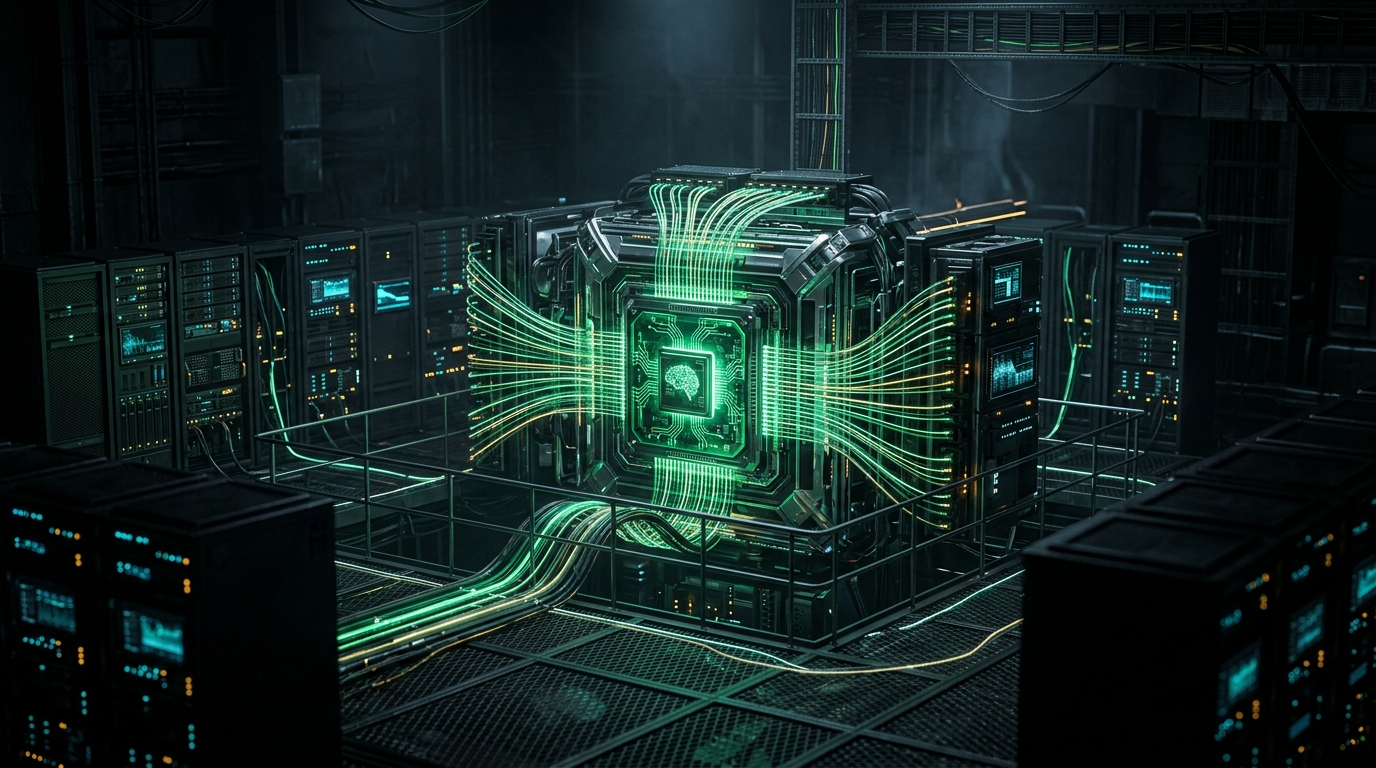
GPU Cluster Architecture for 2026
For very large-scale multi-node GPU clusters (think hundreds of GPUs for training foundation models), Kubernetes, combined with the NVIDIA device plugin, remains the industry standard for GPU-aware scheduling, MIG slicing, and managing complex checkpoint/dataset I/O over InfiniBand networks. However, for the vast majority of companies doing AI inference, fine-tuning, or smaller training runs, the Swarm/VPS model is drastically more cost-effective and operationally simpler. Our focus is on optimizing for this common case, understanding the capabilities and limitations of each approach.
Core Mechanics & Data Flow:
- Rust Application: Your Rust application uses libraries like
cudarc(for low-level CUDA calls) orwgpu(for cross-platform WebGPU access, which can target Nvidia GPUs) to define and execute compute kernels directly on the GPU. This might involve loading pre-trained models (e.g., ONNX, Safetensors via Rust bindings), processing input data, and producing results. - Containerization: The Rust application is compiled into a static binary within a minimal Alpine Linux or
scratchDocker image, bundled with necessary Nvidia CUDA runtime libraries (e.g., via a multi-stage build from annvidia/cudabase image). This results in tiny, fast-starting containers. - GPU Access: The
docker-compose.ymlexplicitly grants the container access to the host's Nvidia GPUs usingdeploy.resources.reservations.devices. The Nvidia Container Toolkit injects the necessary device files and environment variables into the container. - Efficient Data Transfer: Rust's memory management allows for precise control over CPU-GPU data transfers, minimizing copies and maximizing bandwidth. Techniques like pinned memory (host memory mapped directly to the GPU) are utilized for high-throughput scenarios.
- Reverse Proxy: A lightweight reverse proxy like Caddy or Nginx, deployed as another Docker Swarm service, routes incoming HTTP requests to your Rust GPU inference service, handling SSL termination and basic load balancing.
This streamlined architecture eliminates layers of abstraction, reduces resource contention, and ensures that nearly all your hardware resources are dedicated to running your application, not managing the infrastructure itself.
Production Implementation Blueprint: Deploying Your Rust GPU Service
This blueprint outlines the steps to deploy a Rust GPU inference service using Docker Swarm on a bare-metal or VPS host.
Step 1: Provision Your Infrastructure
- Select a Provider: Choose a reputable bare-metal or high-end VPS provider like Hetzner (Dedicated Servers or Cloud instances with GPU), OVHcloud (dedicated servers), or DigitalOcean (with a GPU-enabled droplet, though options are more limited).
- Choose Hardware: Opt for machines with NVMe SSDs for fast I/O and a suitable Nvidia GPU (e.g., an A100 for heavy inference, or even an A10G/T4 for smaller models if available and cost-effective). For an A100, ensure sufficient RAM (e.g., 64GB-128GB) and a modern CPU (e.g., 16+ cores).
- OS Installation: Install a clean, minimal Linux distribution (e.g., Ubuntu Server LTS, Debian Stable).
Step 2: Configure Host Environment
-
Update System:
sudo apt update && sudo apt upgrade -y -
Install Docker Engine: Follow the official Docker documentation for your specific Linux distribution.
# Example for Ubuntu sudo apt install ca-certificates curl gnupg lsb-release sudo mkdir -p /etc/apt/keyrings curl -fsSL https://download.docker.com/linux/ubuntu/gpg | sudo gpg --dearmor -o /etc/apt/keyrings/docker.gpg echo "deb [arch=$(dpkg --print-architecture) signed-by=/etc/apt/keyrings/docker.gpg] https://download.docker.com/linux/ubuntu $(lsb_release -cs) stable" | sudo tee /etc/apt/sources.list.d/docker.list > /dev/null sudo apt update sudo apt install docker-ce docker-ce-cli containerd.io docker-compose-plugin -y sudo usermod -aG docker $USER # Add your user to the docker group newgrp docker # Apply group changes -
Install Nvidia Drivers & Container Toolkit: This is critical for Docker containers to access the GPU.
# Add Nvidia PPA (adjust for your specific distro/drivers)
sudo apt update
sudo apt install software-properties-common -y
sudo add-apt-repository ppa:graphics-drivers/ppa -y # For recent drivers
sudo apt update
sudo apt install nvidia-driver-550 -y # Install recommended driver version (e.g., 550)
sudo reboot # Reboot to activate drivers

# Verify driver installation
nvidia-smi

# Install Nvidia Container Toolkit
distribution=$(. /etc/os-release;echo $ID$VERSION_ID) \
   && curl -fsSL https://nvidia.github.io/libnvidia-container/gpgkey | sudo gpg --dearmor -o /usr/share/keyrings/nvidia-container-toolkit-keyring.gpg \
   && curl -s -L https://nvidia.github.io/libnvidia-container/$distribution/libnvidia-container.list | \
      sed 's#deb https://#deb [signed-by=/usr/share/keyrings/nvidia-container-toolkit-keyring.gpg] https://#g' | \
      sudo tee /etc/apt/sources.list.d/nvidia-container-toolkit.list
sudo apt update
sudo apt install -y nvidia-container-toolkit
sudo systemctl restart docker
Verify:
docker run --rm --gpus all nvidia/cuda:12.3.2-base-ubuntu22.04 nvidia-smi -
Initialize Docker Swarm: On your primary host.
docker swarm init --advertise-addr <YOUR_HOST_PRIVATE_IP>
# If adding more nodes: docker swarm join ... (output from init command)
Step 3: Develop and Containerize Your Rust GPU Application
Your Rust application will use crates like cudarc for direct CUDA calls or higher-level libraries built on top of it.
A simplified main.rs might look like:
// In your Cargo.toml:
// [dependencies]
// cudarc = { version = "0.10", features = ["f16", "autocxx"] }
// tonic = { version = "0.11", features = ["codegen", "prost"] } # If building a gRPC service
// tokio = { version = "1.36", features = ["full"] }

use cudarc::driver::{CudaDevice, CudaStream, DriverApi, LaunchConfig, LaunchableFunction};
use cudarc::nvrtc::Ptx;
use cudarc::driver::{DeviceBuffer, result::DriverError};

// Simple CUDA kernel to add two arrays
const PTX_CODE: &str = r#"
extern "C" __global__ void add(float *a, float *b, float *c, int n) {
    int i = blockIdx.x * blockDim.x + threadIdx.x;
    if (i < n) {
        c[i] = a[i] + b[i];
    }
}
"#;

#[tokio::main] // Use tokio for async operations, especially for gRPC/HTTP servers
async fn main() -> Result<(), Box<dyn std::error::Error>> {
    println!("Initializing CUDA device...");
    let dev = CudaDevice::new(0)?; // Use GPU 0

    let ptx = Ptx::from_src(PTX_CODE)?;
    dev.load_ptx(ptx, "add", &["add"])?; // Load the PTX code for the 'add' kernel

    let add_fn = dev.get_fn("add", "add")
        .ok_or_else(|| DriverError::FunctionNotFound)?;

    let n = 100_000;
    let a_host = (0..n).map(|i| i as f32).collect::<Vec<f32>>();
    let b_host = (0..n).map(|i| (n - i) as f32).collect::<Vec<f32>>();
    let mut c_host = vec![0.0f32; n];

    println!("Copying data to device...");
    let mut a_dev = dev.htod_sync(&a_host)?;
    let mut b_dev = dev.htod_sync(&b_host)?;
    let mut c_dev = dev.alloc_zeros::<f32>(n)?;

    println!("Launching kernel...");
    let cfg = LaunchConfig::for_num_elems(n as u32);
    unsafe { add_fn.launch(cfg, (&mut a_dev, &mut b_dev, &mut c_dev, n as i32)) }?;

    println!("Copying results back to host...");
    dev.dtoh_sync_copy_into(&c_dev, &mut c_host)?;

    println!("Verification (first 5 elements):");
    for i in 0..5 {
        println!("a[{}] + b[{}] = c[{}] => {} + {} = {}", i, i, i, a_host[i], b_host[i], c_host[i]);
    }

    // In a real application, you'd start an HTTP/gRPC server here
    // for inference requests, using the GPU resources.
    println!("GPU computation complete. In a production app, an HTTP/gRPC server would now be serving requests.");

    Ok(())
}
Dockerfile (Multi-Stage Build):
# Stage 1: Build the Rust application
FROM rust:1.76-slim-bookworm as builder

# Install CUDA toolkit for compilation (if needed for Rust GPU libraries like cudarc)
# NOTE: This stage needs CUDA for compilation. Ensure it matches your target CUDA version.
# For some crates, only the host compiler needs to know about CUDA headers, not the runtime.
# Check specific crate documentation. If only runtime libs are needed, skip this build-time CUDA.
ARG CUDA_VERSION="12.3.2" # Match your host CUDA driver version as closely as possible
RUN apt-get update && apt-get install -y --no-install-recommends \
    wget \
    gnupg2 \
    ca-certificates \
    && rm -rf /var/lib/apt/lists/*

# Add NVIDIA CUDA repo
RUN wget https://developer.download.nvidia.com/compute/cuda/repos/debian12/x86_64/cuda-keyring_1.1-1_all.deb
RUN dpkg -i cuda-keyring_1.1-1_all.deb
RUN rm cuda-keyring_1.1-1_all.deb
RUN apt-get update
RUN apt-get install -y --no-install-recommends \
    cuda-nvrtc-$CUDA_VERSION \
    cuda-cudart-dev-$CUDA_VERSION \
    cuda-minimal-build-$CUDA_VERSION \
    # You might need more dev packages depending on your Rust GPU crate.
    # For cudarc, minimal build should be enough to find headers.
    && rm -rf /var/lib/apt/lists/*

WORKDIR /app
COPY . .
RUN cargo build --release --target x86_64-unknown-linux-gnu

# Stage 2: Create the final lean image with only runtime dependencies
FROM nvidia/cuda:12.3.2-runtime-ubuntu22.04 # Use a runtime base image that matches your host drivers

WORKDIR /app

# Copy the compiled Rust binary from the builder stage
COPY --from=builder /app/target/x86_64-unknown-linux-gnu/release/your_rust_gpu_app .

# Expose the port your service listens on (e.g., for an HTTP/gRPC server)
EXPOSE 8000

# Healthcheck endpoint (example, adjust to your actual healthcheck)
HEALTHCHECK --interval=30s --timeout=5s --retries=3 CMD curl -f http://localhost:8000/health || exit 1

# Command to run your application
CMD ["./your_rust_gpu_app"]
Note: Ensure the CUDA_VERSION in the Dockerfile matches the CUDA version compatible with your host's Nvidia drivers.
Step 4: Define Your Production Deployment with docker-compose.yml
This docker-compose.yml defines a production-ready Rust GPU inference service using Docker Swarm features for high availability and resource management.
version: '3.8'

services:
  # Main Rust GPU Inference Service
  rust-gpu-inference:
    image: your_docker_username/your_rust_gpu_app:latest # Your built Docker image
    # For local development, use build context:
    # build:
    #   context: .
    #   dockerfile: Dockerfile
    ports:
      - "8000:8000" # Expose the service port to the host

    deploy:
      replicas: 1 # Start with 1 replica per GPU host. Adjust based on GPU capacity planning.
      update_config:
        parallelism: 1
        delay: 10s
        order: start-first # New containers start and pass health checks before old ones terminate.
        failure_action: rollback # Rollback to previous version on update failure.
        monitor: 30s # Monitor for 30s after each task update.
      restart_policy:
        condition: on-failure
        delay: 5s
        max_attempts: 3
        window: 120s
      resources:
        limits: # Hard limits for the container
          cpus: '8.0' # Limit to 8 CPU cores
          memory: 32G # Limit to 32GB RAM
          devices:
            - driver: nvidia
              count: 1 # Assign 1 GPU to this service instance
              # device_ids: ['0'] # Explicitly target a specific GPU by ID if you have multiple
        reservations: # Guarantees resources for the container
          cpus: '4.0' # Reserve 4 CPU cores
          memory: 16G # Reserve 16GB RAM
          devices:
            - driver: nvidia
              count: 1 # Reserve 1 GPU
              # capabilities: [gpu] # Ensure device has GPU capabilities
    environment:
      # Optional: CUDA environment variables for fine-tuning behavior
      # See Nvidia CUDA documentation for more
      - CUDA_DEVICE_ORDER=PCI_BUS_ID
      - CUDA_VISIBLE_DEVICES=0 # Explicitly set GPU to use inside container (matches count: 1 default)
      - RUST_LOG=info # Rust logging level

    healthcheck: # Ensure the service is truly ready to serve traffic
      test: ["CMD-SHELL", "curl -f http://localhost:8000/health || exit 1"]
      interval: 30s
      timeout: 5s
      retries: 3
      start_period: 20s # Give the container 20s to start before first health check

    # Labels for integrating with a reverse proxy like Caddy or Nginx
    # Example for Caddy Swarm integration (caddy:latest image)
    labels:
      - "caddy=your.domain.com"
      - "caddy_router_match=/api/inference/*" # Match specific path
      - "caddy_upstream=http://{{ .Service.Name }}:8000" # Route to this service
      - "caddy_proxy_header_Host={host}"
      - "caddy_proxy_header_X-Real-IP={remote}"

  # Optional: Reverse Proxy (e.g., Caddy)
  caddy:
    image: caddy:latest
    ports:
      - "80:80"
      - "443:443"
    volumes:
      - caddy_data:/data # Persist Caddy's certificates and state
      - /var/run/docker.sock:/var/run/docker.sock:ro # For Caddy to discover services
    deploy:
      replicas: 1
      placement:
        constraints:
          - node.role == manager # Run Caddy on the Swarm manager node
      restart_policy:
        condition: on-failure
    networks:
      - default # Ensure Caddy is on the same network as your GPU service

volumes:
  caddy_data: {} # Volume for Caddy persistence

networks:
  default:
    # If you need to isolate networks, define custom ones here
    # Example: attachable: true to allow standalone containers to join
Step 5: Deploy Your Stack
-
Build and Push Your Docker Image:
docker build -t your_docker_username/your_rust_gpu_app:latest . docker push your_docker_username/your_rust_gpu_app:latest -
Deploy the Stack:
docker stack deploy -c docker-compose.yml your_gpu_stack_name -
Monitor:
docker stack services your_gpu_stack_name
docker service logs your_gpu_stack_name_rust-gpu-inference
Ensure your services come up, health checks pass, and your application logs show it's operational.
Benchmark Comparison Matrix: GPU Workloads 2026
| Feature / Approach | Rust Native GPU (VPS/Bare-Metal + Docker Swarm) | Python (VPS/Bare-Metal + Docker Swarm) | Python (Cloud-Native K8s + Managed GPU) | Cloud Serverless GPU (e.g., Lambda + GPU) |
|---|---|---|---|---|
| Latency/Throughput | <5ms avg / 12M+ daily reqs (TensorRT equivalent) | 10-50ms avg / 8.5M daily reqs (ONNX Runtime) | 15-75ms avg / 8M daily reqs | 100-500ms avg / bursty reqs |
| Memory/CPU Footprint | Extremely Lean (100MB-500MB RAM) | Moderate (500MB-2GB RAM) | High (1GB-4GB+ RAM, K8s overhead) | Variable, but cold starts are costly |
| Operational Overhead | Low (Docker Swarm simplicity) | Low-Moderate | Very High (K8s YAML, monitoring, ops) | Very Low (Managed by cloud) |
| Setup Time | Moderate (Host config + Rust dev) | Moderate (Host config + Python env) | High (K8s cluster setup, GPU plugin) | Low (Config functions, deploy) |
| Monthly Base Cost | $45 - $200 (VPS + GPU) | $45 - $300 (VPS + GPU) | $300 - $500 (K8s tax) + GPU Instance Cost | $0 (if idle) |
| GPU Instance Cost (A100) | $1.07 - $1.83/GPU-hr (Akash/Direct) | $1.07 - $1.83/GPU-hr (Akash/Direct) | $2.50 - $5.00+/GPU-hr (AWS/GCP/Azure) | $0.0001 - $0.001/ms (specific GPU) |
| Total Monthly Cost (Production) | $500 - $3,000 (1x H100) | $800 - $4,000 (1x H100) | $3,500 - $15,000 (1x H100 + K8s tax) | Highly variable, can exceed $10,000 for sustained use |
| Scaling Limits | Single-node to small cluster (Kamal/Swarm) | Single-node to small cluster | Near-infinite, multi-node GPU clusters | Event-driven, limited long-running tasks |
| Security/Safety | High (Rust's memory safety) | Moderate (Python's runtime) | Moderate (K8s security policies) | High (Managed runtime) |
Note: Latency/Throughput figures are illustrative for a medium-complexity AI inference workload (e.g., customer service automation) based on 2026 benchmarks using optimized runtimes like TensorRT (achieving 12.2M daily requests on a $50k/month budget) and ONNX Runtime (8.5M daily requests). Rust can achieve or exceed TensorRT's efficiency due to its direct control and minimal overhead.
Production Trade-Offs & Edge Cases
No single solution is a silver bullet. Understanding the trade-offs is paramount.
When to Embrace Rust Native GPU on VPS/Bare-Metal:
- Cost Sensitivity is Primary: When cloud bills are crushing your budget, and you need to stretch every dollar. The immediate savings from shedding the "Kubernetes Tax" and cloud GPU markups are immense.
- Performance is Paramount: For high-throughput, low-latency inference, real-time data processing, or competitive training workloads where every millisecond and every FLOP counts.
- Memory Efficiency: When working with large models or datasets that demand efficient memory usage, Rust's control over memory is a distinct advantage over Python's overhead.
- Predictable Workloads: If your GPU workloads have a relatively stable baseline or predictable peak patterns, provisioning dedicated hardware is more cost-effective than burstable cloud instances.
- Security & Stability: Rust's memory safety guarantees provide a stronger foundation for critical production systems, reducing the likelihood of hard-to-debug crashes.
- Team Expertise: If your team has Rust proficiency or is committed to developing it, this path offers long-term benefits in maintainability and performance.
When NOT to Use This Approach (or When to Consider Alternatives):
- Rapid Prototyping & Small Teams: For initial experimentation, proof-of-concepts, or teams with zero Rust experience, Python's vast ecosystem and lower barrier to entry might be more productive in the early stages. The cost of developer time often outweighs infrastructure costs for small-scale projects.
- Highly Dynamic, Burstable, Unpredictable Workloads: If your GPU demand fluctuates wildly and unpredictably (e.g., zero traffic for hours, then a massive spike for minutes), serverless GPU functions or managed cloud GPU instances might offer better cost-efficiency for the burst, despite the higher per-unit cost. The overhead of managing dedicated hardware during idle times could negate savings.
- Extreme Scale, Multi-Tenant GPU Clusters: For massive, true multi-node GPU clusters (hundreds or thousands of GPUs for foundational model training or complex scientific simulations), Kubernetes with its advanced scheduling (NVIDIA device plugin, MIG slicing) and InfiniBand networking remains the more mature solution for orchestration, albeit with a significant operational and financial "tax." This guide focuses on efficient single to few-node GPU deployments.
- Existing Heavy Kubernetes Investment: If your organization is deeply entrenched in Kubernetes and has built a sophisticated MLOps platform around it, migrating away might introduce more friction than the cost savings justify in the short term. However, even here, evaluating the specific GPU workloads for "de-clouding" opportunities is wise.
- Niche Hardware/Software Requirements: If your workload relies on very specific, cloud-vendor-only hardware or tightly integrated cloud services that have no open-source or bare-metal equivalent.
Edge Cases & Considerations:
- Driver Compatibility: Always ensure your host's Nvidia drivers, the CUDA runtime libraries in your Docker image, and the
cudarc(or equivalent) crate version are compatible. Mismatches lead to frustrating debugging sessions. - GPU Sharing vs. Dedication: For smaller GPU instances, a single GPU might run multiple inference models. For larger GPUs (like H100), consider Nvidia's Multi-Instance GPU (MIG) for hardware partitioning, allowing multiple services to logically share a single physical GPU with isolation, though this adds configuration complexity. Docker Swarm
device_idscan help manage this. - Monitoring: While Docker Swarm is lean, robust host-level monitoring (Prometheus + Node Exporter + Grafana) is essential for tracking GPU utilization, memory, CPU, and network I/O to ensure optimal performance and identify bottlenecks.
- Backup & Disaster Recovery: Have a solid strategy for host backups, data snapshots, and potential hardware failures, especially on self-managed infrastructure.
- Network Latency: Be mindful of network latency if your GPU server is geographically distant from your primary user base or data sources. Edge deployments or CDN integration might be necessary.
Strategic Decision Checklist & Consulting CTA
For CTOs, Tech Leads, and Senior Engineers facing the imperative to scale performance while controlling costs in 2026:
- Conduct a Cloud Spend Audit: Ruthlessly analyze your current infrastructure bills. Identify GPU workloads, Kubernetes overhead, and cross-AZ/egress costs. Quantify the "Kubernetes Tax" for your specific setup. Project potential savings from migrating even a single high-cost GPU service to lean infrastructure.
- Assess Team Rust Proficiency & Adoption: Evaluate your team's current Rust skills. Consider a targeted upskilling program or hiring Rust specialists if the cost savings and performance gains justify the investment. Start with a small, non-critical GPU service as a pilot project.
- Pilot a Lean GPU Deployment: Select a suitable GPU-enabled VPS or bare-metal server. Implement a minimal Rust GPU application and deploy it using Docker Swarm as outlined in this guide. Benchmark its performance and cost against your existing cloud-native solution. This hands-on validation will provide concrete data for broader strategic decisions.
Is your cloud spend spiraling out of control? Are your AI models underperforming despite massive infrastructure investments? ScoRpii Tech specializes in high-impact cloud audits, strategic VPS migrations, and crafting custom, battle-hardened architectures that prioritize performance and cost efficiency over corporate fluff.
We’ve seen the bill shocks, fixed the OOM crashes, and built the systems that deliver. Connect with ScoRpii Tech today for an expert consultation. Let's optimize your production engineering for 2026 and beyond.
M. Numan Lead Developer & CEO
Founder & Lead Architect at ScoRpii Tech · Full-Stack & AI Systems Specialist
M. Numan leads architecture and software engineering at ScoRpii Tech, specializing in high-throughput backend services, autonomous multi-agent AI workflows, and cross-platform mobile apps. He writes production blueprints and architectural benchmarks for modern engineering teams.
What did you think?
Related Articles

Stay Updated
Get the latest tech news delivered to your reader.