Your Laptop Just Became Your Xbox Monitor — Here's How!
Discover how you can use your laptop as an Xbox monitor! We cover two methods: Xbox Remote Play and using a video capture card with OBS Studio. Save money and game anywhere.
Editorial Note
Reviewed and analysis by ScoRpii Tech Editorial Team.
In this article
You love your Xbox, and like many console gamers, you probably dream of admiring every pixel of your favorite titles on a top-tier display. While premium gaming TVs like the Samsung S90F OLED are fantastic, what if you could achieve a similar level of immersion and flexibility using something you already own? Imagine turning your powerful laptop into a portable, dedicated monitor for your Xbox. Well, you absolutely can, opening up a world of gaming possibilities you might not have considered.
Key Details
You have two primary routes to transform your laptop into an Xbox monitor, each offering distinct advantages. The first, and arguably simplest, method leverages the power of Xbox’s remote play feature. To get started, you'll open the Xbox app on your computer. From there, you’ll select your console to initiate streaming. You can find more detailed instructions and set up your device by visiting official resources like xbox.com/remoteplay or https://www.xbox.com/en-us/play. This method streams your gameplay over your network, making your laptop a remote display.
Need fast, secure, and affordable hosting for your next website or PHP application? We recommend Hostinger Managed Hosting. Get premium speeds, a free domain, and 24/7 expert support.
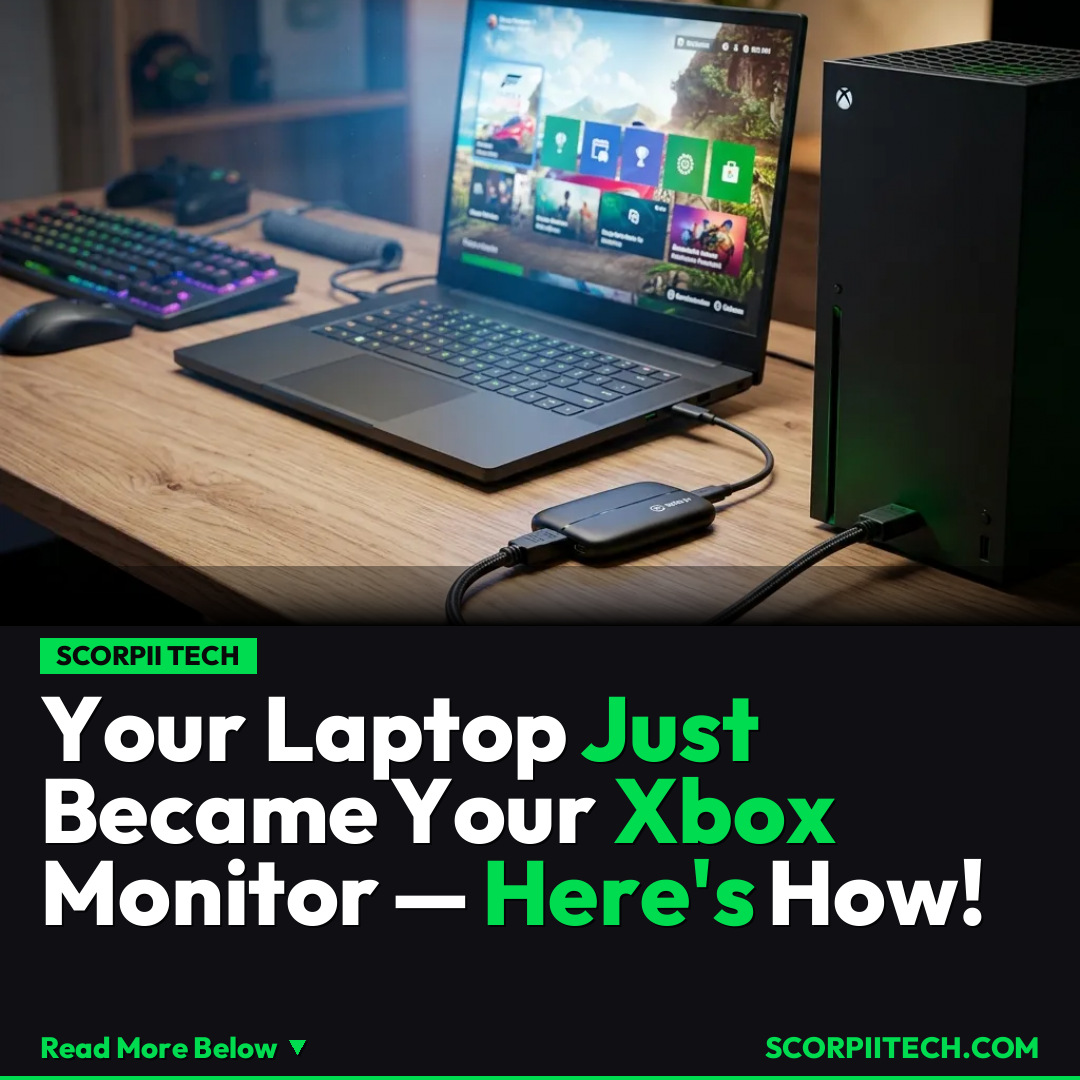
For a more direct, low-latency experience, especially if you’re looking to capture gameplay or prefer a wired connection, you can opt for a hardware-based solution. This involves acquiring a video capture card. Your Xbox console will connect to the video capture card via its HDMI ports, and then the capture card connects to your laptop, typically through a high-speed USB 3.0 port. Once connected, you’ll use software like OBS Studio, a document_name frequently associated with streaming and recording, to display your Xbox’s output directly on your laptop screen. This setup essentially bypasses the need for a traditional TV, turning your laptop into a dedicated, high-quality display for your gaming sessions.
Why This Matters
Why should you care about using your laptop as an Xbox monitor? It's all about versatility and value. You no longer need to be tethered to a living room TV, freeing you up to game in your bedroom, at a friend's house, or even in a dorm room where space and a dedicated gaming TV might be a luxury. Instead of investing hundreds or thousands in a premium gaming TV like the Samsung S90F OLED, you’re utilizing existing hardware, saving you money while expanding your gaming horizons. This solution is perfect for multi-taskers who want to keep their game in view while working, or for anyone who simply wants a more private, focused gaming experience without a separate monitor.
The ability to integrate your console gaming with your laptop also provides an excellent opportunity for content creators. With OBS Studio and a capture card, you're not just playing; you're also setting yourself up to easily record or stream your Xbox gameplay directly from your laptop. This seamless integration can elevate your gaming experience beyond simple play, making it a powerful tool for sharing your adventures with others, all from a single, versatile device.
The Bottom Line
You have more options than you think when it comes to enjoying your Xbox games. Whether you prioritize convenience and simplicity with Xbox Remote Play, or demand the precision and capture capabilities of a video capture card and OBS Studio, your laptop is a surprisingly powerful and flexible tool. You no longer need to compromise on where or how you play. So, dust off that laptop, explore these methods, and transform your gaming setup into something truly adaptable and personal to your needs. Your next gaming session could be more portable and flexible than ever before.
Originally reported by
BGRWhat did you think?



Stay Updated
Get the latest tech news delivered to your reader.